WP Core Integrity – Keep Your WordPress Core Clean and Safe

Peace of mind for your WordPress site.

Recent critical PHP vulnerabilities have made it easier than ever for attackers to break into WordPress websites.

Once the hackers get in, one of the first things they often do is upload extra PHP files (backdoors) or quietly change core WordPress files so they can keep access for later.

That’s where WP Core Integrity Repair can help.

How It Works

  1. Scan Your Core Files: With one click, the WP Core Integrity Repair checks every WordPress core file on your site against the official versions from WordPress.org.
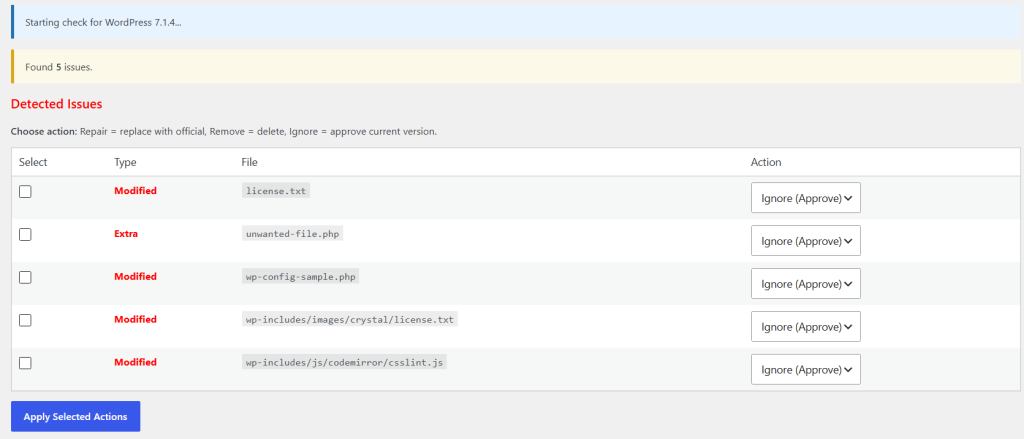
  2. Spot the Problems: Post-scan results clearly shows you two kinds of issues:
    • Modified files – core files that no longer match the official version
    • Extra files – files that don’t belong in a normal WordPress installation
  3. Take Action (Pro Version): You decide what to do with each issue:
    • Ignore (Approve) – if you intentionally changed a file
    • Repair – replace a modified file with the clean official version
    • Remove – delete an unwanted extra file
  4. Train the Plugin: When you approve a file, the plugin remembers it. Future scans will ignore those approved files so you don’t get the same alerts again.

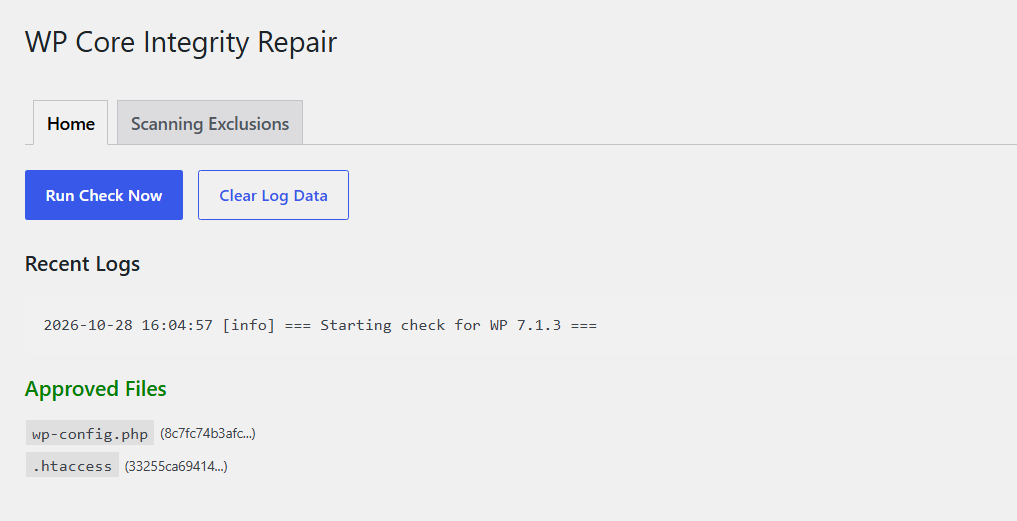
(Screenshot: Plugin Homepage showing tabs “Home” and “Scanning Exclusions” and buttons “Run Check Now” and “Clear Log Data”.)

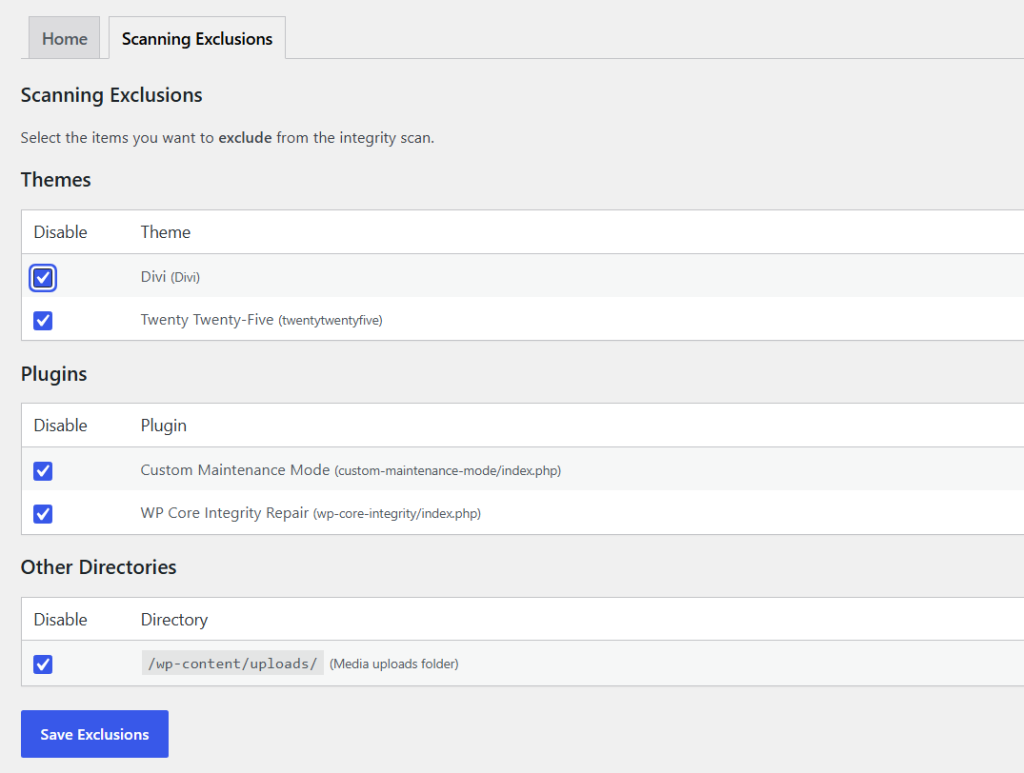
(Screenshot: Plugin Homepage showing tabs Home and Scanning Exclusions)

(Screenshot: Plugin results page, displays core files that were modified, as well as an extra file that was not expected in a WordPress installation.)

Why does WP Core Integrity Repair matter?

Most WordPress security plugins focus on blocking attacks.

WP Core Integrity focuses on what happens after an attack — or when something just doesn’t look right.

It answers a simple but important question:

“Are my WordPress core files still clean?”

In a time when new PHP vulnerabilities keep appearing, being able to quickly verify your core files gives you real peace of mind.

Who It’s For

  • Site owners who want an easy way to check if their WordPress core is intact
  • Developers and agencies managing multiple client sites
  • Anyone who has dealt with a compromised site and never wants to go through that again

Free Version Features

  • Full core file integrity scan
  • Clear list of modified and extra files
  • Create custom exclusions for themes, plugins, and the uploads folder

Pro Version Features

    • Full core file integrity scan
    • Clear list of modified and extra files
    • Create custom exclusions for themes, plugins, and the uploads folder
    • Ability to approve files you intentionally changed
    • Ability to replace files that you suspect have been compromised

Scroll to Top